Home › Resources › 30+ JavaScript Libraries Every Developer Should Know in 2026
Resources30+ JavaScript Libraries Every Developer Should Know in 2026
By Himanshu Borikar • 2026-08-02 • 20 min read
Open any package.json for a mid-sized JavaScript project and you'll likely count 20–80 dependencies. That's not bloat — it's a reflection of how JavaScript grew up. The language started as a way to validate form fields and swap images on hover; it never shipped with a standard library for building full applications, so the community built one piece by piece, in the open, over three decades.
That's why there are thousands of libraries today, and why choosing the wrong one is expensive — not just a bad afternoon, but weeks of rework, onboarding friction, and eventually a migration once the limitations become impossible to ignore in production.
This guide covers 35 of the libraries most worth knowing in 2026, grouped by the problem they solve, with real code and honest trade-offs — no library presented as universally "best," because the right choice always depends on your project, team, and constraints.
Who This Is For
- Frontend developers deciding which UI library to invest their learning time in.
- Backend and full-stack developers comparing Express, Fastify, and NestJS or picking an ORM.
- Students and self-taught developers who need a map of the ecosystem, not just a list of names.
- Interview candidates who need to speak confidently about architectural trade-offs.
- Engineering leads making stack decisions a team will live with for years.
Every library here was chosen because it has proven itself in production, has active maintenance, strong documentation, and a healthy community. For each one, you'll get the same structure: what it is, why developers reach for it, key features, real copyable code, honest pros and cons, and the closest alternative worth comparing it against.
Why this actually matters: Picking a library isn't just a technical decision — it's a long-term commitment. A poorly chosen state management library makes a codebase harder to onboard new developers into. An abandoned charting library leaves you patching security holes yourself. A backend framework that doesn't match your team's mental model slows down every feature you ship.
Quick Recommendations
If you don't have time to read the full guide right now, here is the short version — the default choice we'd recommend for most teams starting a new project in each category:
| Goal | Recommended Library | Why |
|---|---|---|
| Frontend Development | React | Largest ecosystem, hiring pool, and tooling support |
| Full Stack Meta-Framework | Next.js | Most complete React meta-framework with SSR/SSG |
| Backend APIs | Express.js | Fastest path to developer productivity and middleware |
| State Management | Zustand | Minimal boilerplate, covers 90% of global state needs |
| Forms Handling | React Hook Form | Best performance, zero re-renders on keystroke |
| Schema Validation | Zod | TypeScript-first, single source of truth for runtime types |
| HTTP Client Requests | Axios | Built-in interceptors and consistent error handling |
| Dashboard Charts | Chart.js | Fastest path to clean, responsive dashboard charts |
| AI Applications | LangChain.js | Most complete multi-step, retrieval-based agent toolkit |
| Database & ORM | Prisma | Most mature developer experience and auto-generated types |
These are sensible defaults, not rigid rules — a serverless-heavy team might prefer Drizzle over Prisma; a team invested in Redux DevTools might stick with Redux Toolkit over Zustand.
Interactive Ecosystem Map & Decision Tree
<svg viewBox="0 0 800 500" width="100%" height="auto" xmlns="http://www.w3.org/2000/svg" style="background:#07090e; border-radius:16px; border:1px solid #1f2733; padding:16px;">
  <style>
    .tree-title { font-family: system-ui, sans-serif; font-weight: 800; font-size: 16px; fill: #00d2ff; }
    .node-bg { fill: #11141b; stroke: #1f2733; stroke-width: 1.5px; rx: 8px; }
    .node-text { font-family: monospace; font-size: 12px; fill: #e2e8f0; }
    .node-highlight { fill: #ff0000; font-weight: bold; }
    .line { stroke: #334155; stroke-width: 1.5px; stroke-dasharray: 4; }
  </style>
  <text x="20" y="30" class="tree-title">📌 What Are You Building? (Decision Tree Flowchart)</text>

  <!-- Root -->
  <rect x="20" y="50" width="220" height="35" class="node-bg"/>
  <text x="35" y="72" class="node-text">What are you building?</text>

  <!-- Branch 1: User-Facing Interface -->
  <line x1="130" y1="85" x2="130" y2="120" class="line"/>
  <rect x="20" y="120" width="240" height="35" class="node-bg"/>
  <text x="35" y="142" class="node-text">🖥️ User-Facing Web Interface</text>

  <line x1="260" y1="137" x2="310" y2="137" class="line"/>
  <rect x="310" y="120" width="450" height="35" class="node-bg"/>
  <text x="320" y="142" class="node-text">SEO/SSR? → <tspan class="node-highlight">Next.js / Remix / Astro</tspan></text>

  <!-- Branch 2: Backend API -->
  <line x1="130" y1="155" x2="130" y2="230" class="line"/>
  <rect x="20" y="230" width="240" height="35" class="node-bg"/>
  <text x="35" y="252" class="node-text">⚡ Backend API Service</text>

  <line x1="260" y1="247" x2="310" y2="247" class="line"/>
  <rect x="310" y="230" width="450" height="35" class="node-bg"/>
  <text x="320" y="252" class="node-text">Fast Ship? → <tspan class="node-highlight">Express</tspan> | High Performance? → <tspan class="node-highlight">Fastify</tspan></text>

  <!-- Branch 3: AI Feature -->
  <line x1="130" y1="265" x2="130" y2="340" class="line"/>
  <rect x="20" y="340" width="240" height="35" class="node-bg"/>
  <text x="35" y="362" class="node-text">🤖 AI-Powered Application</text>

  <line x1="260" y1="357" x2="310" y2="357" class="line"/>
  <rect x="310" y="340" width="450" height="35" class="node-bg"/>
  <text x="320" y="362" class="node-text">Streaming UI? → <tspan class="node-highlight">Vercel AI SDK</tspan> | RAG/Agents? → <tspan class="node-highlight">LangChain.js</tspan></text>

  <!-- Branch 4: Data & ORM -->
  <line x1="130" y1="375" x2="130" y2="430" class="line"/>
  <rect x="20" y="430" width="240" height="35" class="node-bg"/>
  <text x="35" y="452" class="node-text">🗄️ Database Access Layer</text>

  <line x1="260" y1="447" x2="310" y2="447" class="line"/>
  <rect x="310" y="430" width="450" height="35" class="node-bg"/>
  <text x="320" y="452" class="node-text">Type-Safe DX? → <tspan class="node-highlight">Prisma</tspan> | Serverless Cold-Starts? → <tspan class="node-highlight">Drizzle</tspan></text>
</svg>
Library vs. Framework: Understanding Inversion of Control
The real distinction between a library and a framework is who controls the flow of execution — inversion of control.
- Library: Code you call. Your application code stays in charge, and you invoke a library function like
axios.get()when you need it. - Framework: Code that calls you. You write code that fits into its predefined structure, and the framework decides when that code runs — Next.js decides when a page renders and what data-fetching functions get called, in what order.
React sits in between — technically a UI library, but most teams wire it into a full application shell the way they'd use a framework, which is part of why Next.js exists: it turns React into a genuine framework by making architectural decisions for you. Neither approach is objectively better; libraries trade speed for control, frameworks trade flexibility for consistency. Most production apps use both.
The JavaScript Ecosystem at a Glance
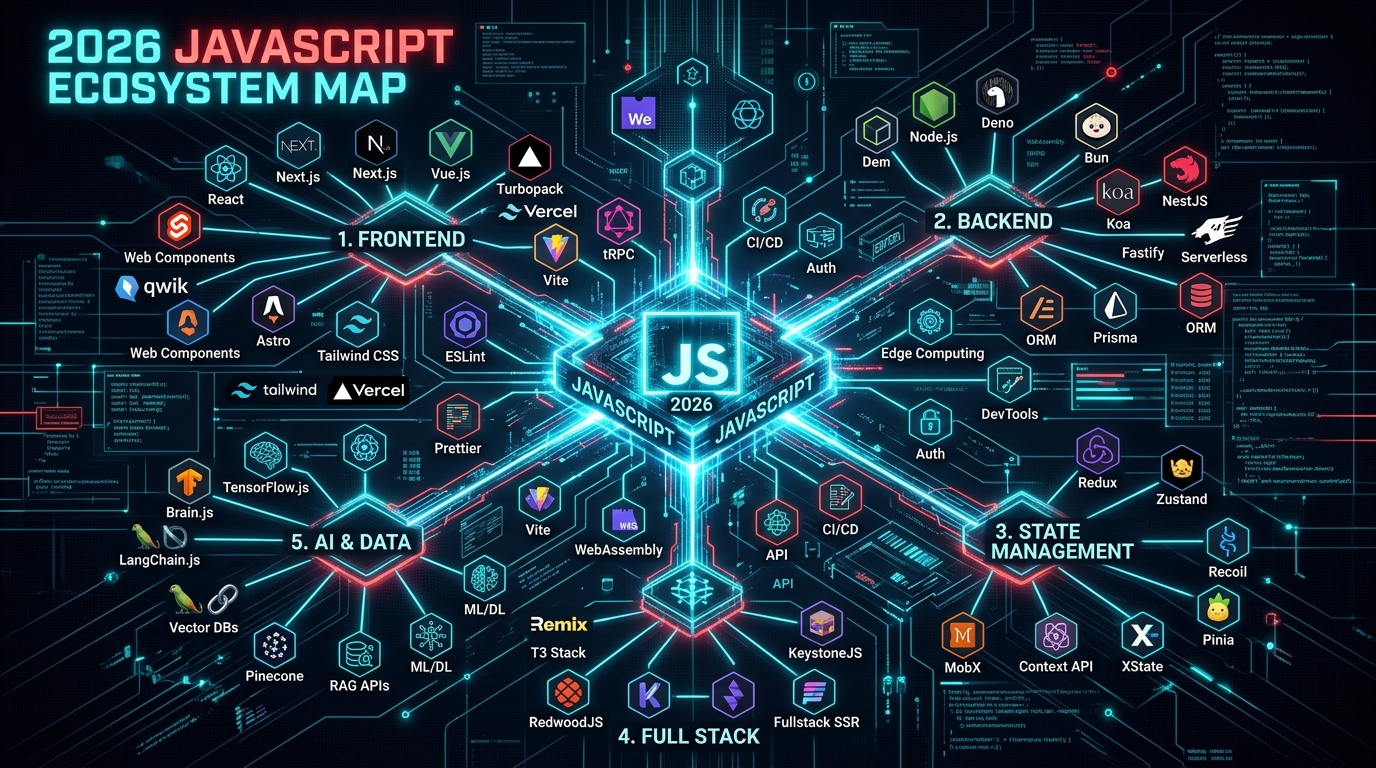
Before diving into individual libraries, it helps to see the ecosystem as a map of problem domains rather than a flat list of names:
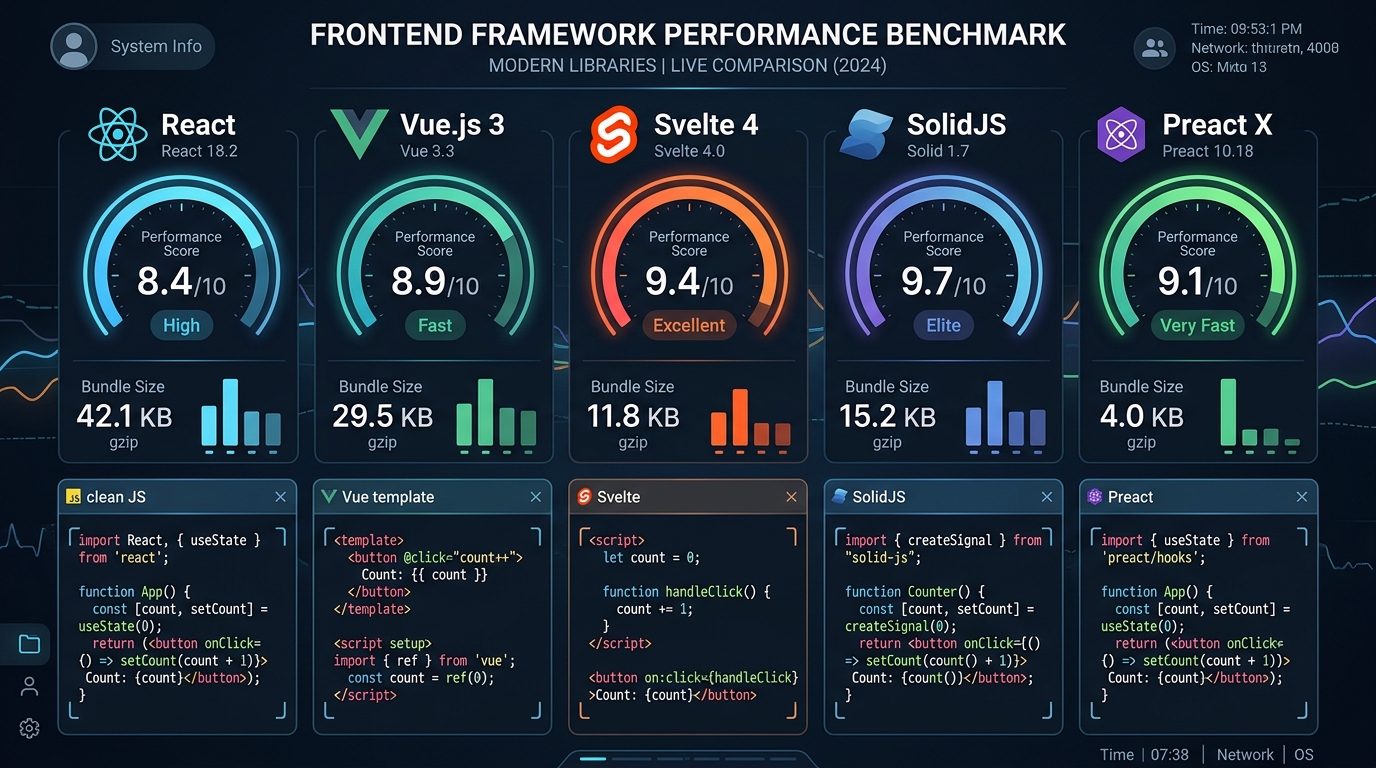
- Frontend: Libraries that render UI in the browser and keep it in sync with state (React, Vue, Svelte, SolidJS, Preact).
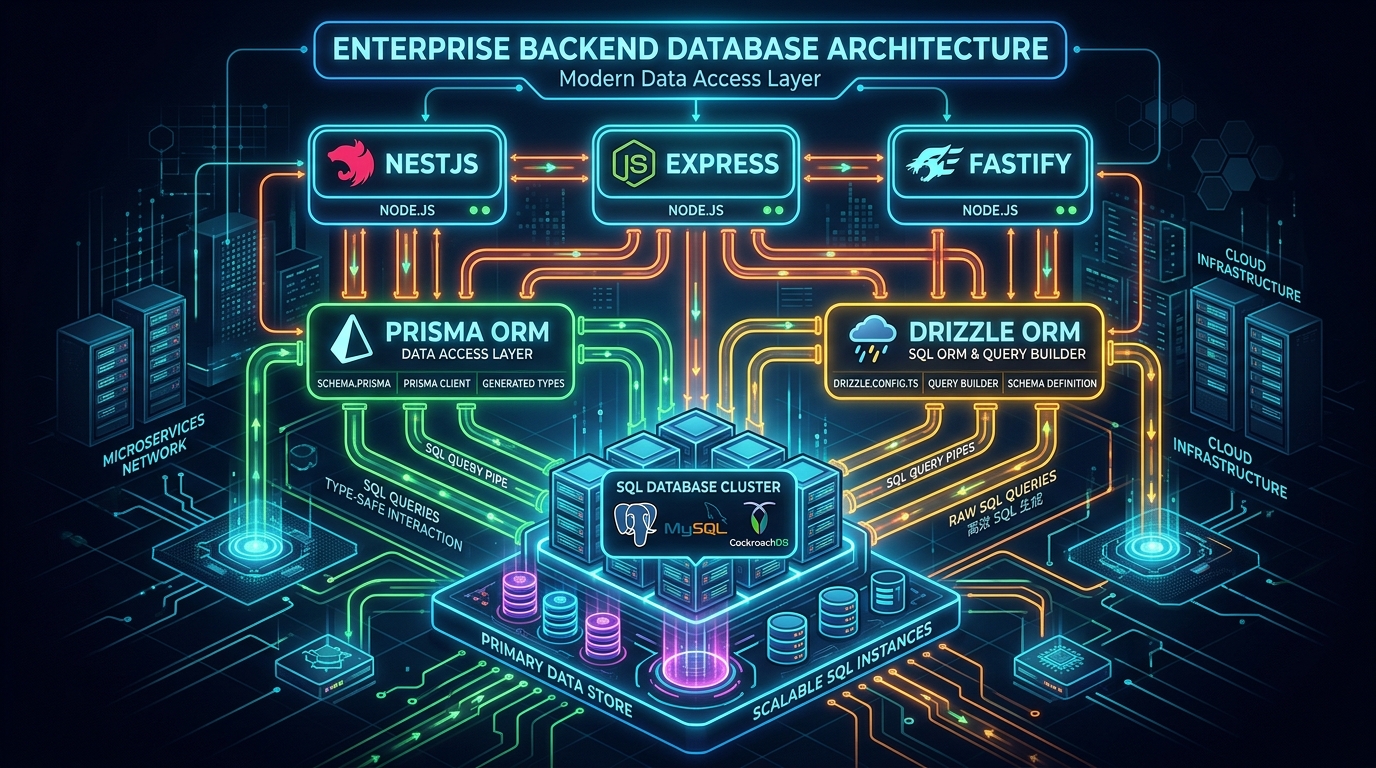
- Backend: Libraries and frameworks running on Node.js to handle HTTP requests, business logic, and SSR (Express, Fastify, NestJS).
- Full Stack: Meta-frameworks that unify frontend rendering and backend logic into one deployable app (Next.js, Remix, Astro, Nuxt.js).
- AI Libraries: Orchestrating LLMs, prompt chaining, tool calling, and streaming (LangChain.js, Vercel AI SDK).
- Animation: Motion, transitions, and micro-interactions (GSAP, Framer Motion, Lottie).
- Visualization: Interactive graphics and charts (Chart.js, D3.js, Apache ECharts).
- State Management: Managing global application state across components (Redux Toolkit, Zustand, Jotai).
- Validation & Forms: Runtime type checking and input handling (Zod, Yup, React Hook Form).
- Database & ORM: Type-safe database access (Prisma, Drizzle ORM).
- UI Components: Accessible building blocks (Material UI, Shadcn UI, Chakra UI, Ant Design).
1. Frontend Libraries
React
- Overview: A declarative UI library from Meta for building interfaces out of reusable components; you describe what the UI should look like for a given state, and React updates the DOM efficiently.
- Why Developers Use It: The gravitational pull of its ecosystem — most job listings, tutorials, and third-party tools assume React.
- Key Features: Component/JSX architecture · Virtual DOM diffing · Hooks (
useState,useEffect) · Enormous ecosystem.
import { useState } from 'react';

function Counter() {
  const [count, setCount] = useState(0);
  return (
    <button onClick={() => setCount(count + 1)}>
      Clicked {count} times
    </button>
  );
}- Pros: Enormous ecosystem; battle-tested at scale; unopinionated about routing/styling.
- Cons: Needs extra libraries for routing/forms/data; real learning curve for hooks; frequent ecosystem churn.
- Best For: Teams wanting the largest hiring pool — dashboards, SaaS products, e-commerce storefronts, and admin panels.
- Best Alternative(s): Vue.js, Svelte.
Vue.js
- Overview: A progressive framework blending approachable HTML templates with a reactive data system, designed to feel more intuitive than alternatives.
- Why Developers Use It: Single-file components feel natural to developers coming from HTML/CSS backgrounds.
- Key Features: Composition API reactivity · Single-file components · Built-in directives (
v-if,v-for) · Official Pinia state store.
<script setup>
import { ref } from 'vue';
const count = ref(0);
</script>

<template>
  <button @click="count++">Clicked {{ count }} times</button>
</template>- Pros: Gentle learning curve; excellent docs; clean separation of concerns.
- Cons: Smaller job market than React; fewer enterprise component libraries.
- Best For: Teams wanting a batteries-included, approachable framework.
- Best Alternative(s): React, Svelte.
Svelte
- Overview: A compiler, not a runtime library — it turns components into optimized vanilla JS at build time instead of shipping a framework to the browser.
- Why Developers Use It: Less boilerplate and fast performance since there is no virtual DOM diffing.
- Key Features: Compile-time reactivity · Tiny bundles · Built-in transitions · SvelteKit for full-stack apps.
<script>
  let count = 0;
</script>

<button on:click={() => count++}>
  Clicked {count} times
</button>- Pros: Minimal, readable code; smaller bundles than React/Vue; fast out of the box.
- Cons: Smaller ecosystem and job market; fewer enterprise case studies.
- Best For: Performance-critical apps and teams wanting less code boilerplate.
- Best Alternative(s): Vue.js, SolidJS.
SolidJS
- Overview: Looks like React (JSX, hooks-style) but compiles to fine-grained reactive updates without a virtual DOM or re-running whole components.
- Why Developers Use It: Developers who like React's mental model but want meaningfully better raw performance.
- Key Features: Signals-based fine-grained reactivity · Familiar JSX · No unnecessary re-renders.
import { createSignal } from 'solid-js';

function Counter() {
  const [count, setCount] = createSignal(0);
  return (
    <button onClick={() => setCount(count() + 1)}>
      Clicked {count()} times
    </button>
  );
}- Pros: Excellent benchmarks; familiar syntax for React devs; zero wasted re-renders.
- Cons: Smaller ecosystem; signals-as-functions trips up newcomers.
- Best For: High-performance web applications with complex state updates.
- Best Alternative(s): React, Svelte.
Preact
- Overview: A 3KB alternative to React implementing most of the same API, built as a drop-in replacement where bundle size is the primary priority.
- Why Developers Use It: When you want React's component model without React's bundle weight — widgets, extensions, lightweight pages.
- Key Features: ~3KB gzipped core · Near-identical API to React ·
preact/compatlayer.
import { useState } from "preact/hooks";

function Counter() {
  const [count, setCount] = useState(0);
  return <button onClick={() => setCount(count + 1)}>Clicked {count}</button>;
}- Pros: Tiny footprint; easy migration from React; compatible with much of React's ecosystem.
- Cons: Occasional edge-case compatibility gaps.
- Best For: Embedded widgets and bundle-sensitive projects.
🔒 Security Note on Raw HTML: All five frontend libraries auto-escape interpolated text strings by default, mitigating XSS risks. The danger zone is always the "raw HTML" escape hatch —
dangerouslySetInnerHTMLin React,v-htmlin Vue, and{@html}in Svelte. Treat any use of these as a red flag requiring DOMPurify sanitization.
2. Full Stack Meta-Frameworks
Next.js
- Overview: A React meta-framework from Vercel that unifies routing, SSR, static generation, and serverless API routes into one project.
- Why Developers Use It: Removes routing and data-fetching decision fatigue; Server Components let you fetch data directly inside server components.
- Key Features: App Router file-based routing · React Server Components / Actions · Built-in image/font optimization.
// App Router Server Component
export default async function Home() {
  const data = await fetch("https://api.example.com/posts").then(r => r.json());
  return <ul>{data.map(p => <li key={p.id}>{p.title}</li>)}</ul>;
}- Pros: Excellent SEO support; full-stack in one codebase; massive industry adoption.
- Cons: Steep learning curve around caching; frequent breaking changes across major versions.
- Best For: Production SaaS products, e-commerce, and content portals needing strong SEO.
Remix
- Overview: A full-stack React framework (now part of React Router) built around web standards — native
fetch, forms, and HTTP caching. - Why Developers Use It: Keeps close to how the browser works, with nested routing and parallel data loading.
- Key Features: Per-route data loaders · Built on native Request/Response · Progressive enhancement.
import { useLoaderData } from "@remix-run/react";

export async function loader() {
  return await getPosts();
}

export default function Posts() {
  const posts = useLoaderData();
  return <ul>{posts.map(p => <li key={p.id}>{p.title}</li>)}</ul>;
}- Pros: Predictable, standards-based data loading; excellent form/mutation handling.
- Cons: Smaller ecosystem than Next.js.
Astro
- Overview: A content-focused framework built around "zero JavaScript by default" — pages render to static HTML at build time, shipping JS only for explicit islands.
- Why Developers Use It: For blogs, documentation, and marketing sites, Astro loads dramatically faster than a typical React SPA.
- Key Features: Islands architecture · Framework-agnostic (mix React/Vue/Svelte) · Content Collections.
---
const posts = await fetch("https://api.example.com/posts").then(r => r.json());
---
<ul>
  {posts.map((post) => <li>{post.title}</li>)}
</ul>
Nuxt.js
- Overview: The Vue equivalent of Next.js — adds routing, SSR, and structured conventions on top of Vue.
- Why Developers Use It: Teams committed to Vue get full-stack capabilities with minimal setup.
- Key Features: File-based routing · Nitro universal server engine · Auto-imported components.
<script setup>
const { data: posts } = await useFetch('/api/posts');
</script>

<template>
  <ul><li v-for="post in posts" :key="post.id">{{ post.title }}</li></ul>
</template>
3. UI Component Libraries
- Material UI (MUI): Comprehensive React component library implementing Google's Material Design (100+ components, theme engine).
- Shadcn UI: A CLI tool copying unstyled Radix UI + Tailwind source code directly into your repository for 100% code ownership.
- Chakra UI: Accessible React component library balancing MUI's pre-built nature with Tailwind-style props.
- Ant Design: Enterprise UI library from Alibaba optimized for data-dense admin dashboards and complex tables.
// Shadcn UI Button Import
import { Button } from "@/components/ui/button";

export function Action() {
  return <Button variant="outline">Click Me</Button>;
}
4. Animation & Motion Libraries
GSAP (GreenSock)
- Overview: Framework-agnostic animation library known for complex, timeline-based animations with rock-solid performance.
- Key Features: Timeline sequencing · ScrollTrigger plugin · SVG morphing.
gsap.to(".box", { x: 300, duration: 1, ease: "power2.out" });Framer Motion
- Overview: Declarative animation library for React, animating components via props.
- Key Features: Declarative
animate/initial/exitprops · Layout animations.
<motion.div initial={{ opacity: 0 }} animate={{ opacity: 1 }} transition={{ duration: 0.5 }} />Lottie
- Overview: Renders After Effects animations exported as JSON via Bodymovin directly in web applications.
lottie.loadAnimation({ container: el, path: "animation.json", autoplay: true });5. Charting & Visualization
Chart.js
- Canvas-based charting library covering standard bar, line, pie, and scatter charts with simple setup.
new Chart(ctx, { type: 'bar', data: { labels: ['Jan', 'Feb'], datasets: [{ data: [12, 19] }] } });D3.js
- Low-level visualization toolkit for binding data directly to DOM/SVG elements — ideal for custom network graphs, maps, and bespoke graphics.
Apache ECharts
- High-performance charting engine handling massive datasets, 3D charts, and GL rendering out of the box.
6. Data Fetching & Caching
Axios
- Promise-based HTTP client wrapping browser/Node networking with automatic JSON parsing and interceptors.
const { data } = await axios.get("https://api.example.com/users");TanStack Query (React Query)
- Server-state library handling caching, background refetching, deduplication, and loading states.
const { data, isLoading } = useQuery({
  queryKey: ["users"],
  queryFn: () => fetch("/api/users").then(res => res.json())
});
SWR
- Vercel's lightweight data-fetching library utilizing "stale-while-revalidate" strategy.
const { data, isLoading } = useSWR("/api/users", fetcher);7. State Management Libraries
Redux Toolkit
- Official opinionated Redux package providing predictable, centralized state management with time-travel debugging.
const counterSlice = createSlice({
  name: "counter",
  initialState: { value: 0 },
  reducers: { increment: (state) => { state.value += 1; } }
});
Zustand
- Minimal global state store via a tiny hook-based API without context providers (~1KB bundle).
import { create } from 'zustand';

const useCounterStore = create((set) => ({
  count: 0,
  increment: () => set((state) => ({ count: state.count + 1 }))
}));
Jotai
- Atomic approach to state where components subscribe to individual independent atoms.
import { atom, useAtom } from 'jotai';
const countAtom = atom(0);

function Component() {
  const [count, setCount] = useAtom(countAtom);
}
8. Forms & Schema Validation
React Hook Form
- Manages form state via uncontrolled inputs and refs, preventing unnecessary re-renders on keystroke.
const { register, handleSubmit } = useForm();
<form onSubmit={handleSubmit(onSubmit)}>
  <input {...register("email")} />
</form>
Zod
- TypeScript-first schema validation library defining runtime validation rules while inferring static types.
import { z } from 'zod';

const UserSchema = z.object({
  name: z.string().min(1),
  email: z.string().email()
});

type User = z.infer<typeof UserSchema>;
Yup
- Object schema validator popular in legacy Formik codebases.
9. Database & ORM Libraries
Prisma
- Declarative schema-based ORM generating a fully typed query client and migration scripts.
model User {
  id    Int    @id @default(autoincrement())
  email String @unique
}
const user = await prisma.user.create({
data: { email: "alex@example.com" }
});Drizzle ORM
- Lightweight TypeScript-native ORM that compiles to clean SQL without a separate query engine process.
export const users = pgTable("users", {
  id: serial("id").primaryKey(),
  email: text("email").notNull()
});

const allUsers = await db.select().from(users);
10. Backend Frameworks
Express.js
- Minimalist Node.js web framework providing thin HTTP routing and middleware capabilities.
const express = require('express');
const app = express();
app.get("/users", (req, res) => res.json([{ id: 1, name: "Alex" }]));
Fastify
- High-throughput Node.js framework built with schema-based validation and Pino logging for maximum speed.
const fastify = require('fastify')();
fastify.get("/users", async (req, reply) => [{ id: 1, name: "Alex" }]);
NestJS
- Modular, TypeScript-first backend framework inspired by Angular's architecture (Dependency Injection, Controllers, Modules).
@Controller("users")
export class UsersController {
  @Get()
  findAll() { return [{ id: 1, name: "Alex" }]; }
}
11. AI Development Libraries
LangChain.js
- Framework for building LLM-powered applications with prompt chaining, memory, vector retrievers, and tool agents.
import { ChatOpenAI } from "@langchain/openai";
const model = new ChatOpenAI({ model: "gpt-4o-mini" });
const response = await model.invoke("Summarize this document.");
Vercel AI SDK
- Toolkit for streaming LLM responses into React/Next.js UI interfaces with structured JSON outputs.
import { streamText } from 'ai';
import { openai } from '@ai-sdk/openai';

const result = await streamText({
  model: openai("gpt-4o-mini"),
  prompt: "Explain closure in JavaScript."
});
Head-to-Head Comparisons
| Comparison | Winner on Ease | Winner on Performance | Best For |
|---|---|---|---|
| React vs. Vue | Vue (gentler curve) | Comparable | React: hiring pool. Vue: fast onboarding. |
| Next.js vs. Remix | Comparable | Comparable | Next.js: ecosystem/SEO. Remix: web standards. |
| Redux Toolkit vs. Zustand | Zustand | Comparable | Redux: complex audit logs. Zustand: shipping speed. |
| Axios vs. Fetch | Comparable | Comparable | Axios: interceptors/cross-env. Fetch: zero deps. |
| TanStack Query vs. SWR | SWR | Comparable | TanStack: complex data needs. SWR: Next.js simplicity. |
| Prisma vs. Drizzle | Prisma | Drizzle (Serverless) | Prisma: mature tooling. Drizzle: fast cold starts. |
| Express vs. Fastify | Express | Fastify | Express: rapid prototypes. Fastify: high traffic. |
| Chart.js vs. D3.js | Chart.js | D3 at scale | Chart.js: dashboards. D3: bespoke graphics. |
| Zod vs. Yup | Comparable | Comparable | Zod: new TS projects. Yup: Formik codebases. |
Performance & Capability at a Glance
| Category | Lightest / Fastest | Most Feature-Complete | Easiest to Learn |
|---|---|---|---|
| Frontend | Preact / SolidJS | React | Vue.js / Svelte |
| Full Stack | Astro | Next.js | Astro |
| State Management | Zustand / Jotai | Redux Toolkit | Zustand |
| Backend | Fastify | NestJS | Express.js |
| ORM | Drizzle | Prisma | Prisma |
Learning Roadmap by Career Path
🎨 Frontend Developer
Start with React ➔ Add React Hook Form + Zod for forms ➔ Learn TanStack Query for data fetching ➔ Pick up Zustand for global state ➔ Layer in Shadcn UI & Framer Motion.
⚙️ Backend Developer
Start with Express.js ➔ Add Zod to validate input at API boundaries ➔ Connect with Prisma for type-safe database queries ➔ Upgrade to Fastify for high throughput ➔ Move to NestJS for enterprise team projects.
🚀 Full Stack Developer
Master React + Next.js ➔ Use Zod as validation glue between forms and API routes ➔ Use Prisma or Drizzle as database layer ➔ Add TanStack Query for client-side state.
🤖 AI Developer
Start with React + Next.js ➔ Learn Vercel AI SDK for streaming responses ➔ Use Zod to validate structured JSON outputs ➔ Adopt LangChain.js for RAG pipelines, agents, and vector stores.
Frequently Asked Questions
1. What's the difference between a library and a framework?
A library is code you call (your app controls the flow); a framework calls your code according to its structure.
2. Is React still worth learning in 2026?
Yes — it remains the most in-demand frontend library by job postings and ecosystem size.
3. Which is faster, React or Svelte?
Svelte generally outperforms React in raw benchmarks because it compiles away at build time rather than using a virtual DOM.
4. Should I learn TypeScript before using these libraries?
It helps significantly, especially for Zod, Prisma, Drizzle, and NestJS, which are TypeScript-first by design.
5. What's the best state management library for a small project?
Zustand — minimal API, zero boilerplate, ~1KB bundle.
6. When should I use Redux instead of Zustand?
When you need strict architectural conventions, time-travel debugging, or you are on a large enterprise team.
7. Is Next.js necessary for every React project?
No — for simple client-side apps or embedded widgets, plain React via Vite is lighter.
8. Is Axios still relevant now that fetch is built in?
Yes, for projects that benefit from interceptors and consistent cross-environment error handling.
9. Which ORM should I choose for a serverless project?
Drizzle ORM, generally, due to lower overhead and faster cold starts than Prisma's separate query engine process.
10. What's the safest way to validate user input?
Use a schema library (Zod or Yup) at every trust boundary, and never rely on client-side validation alone.
11. Which backend framework is best for a beginner?
Express.js, due to its simplicity and the volume of community resources.
12. Do I need NestJS for a small API?
No — its structure and dependency injection system pay off mainly at large team scale.
13. What's the best animation library for React?
Framer Motion, for its declarative, prop-based API that integrates naturally with JSX.
14. When should I use GSAP instead of Framer Motion?
For complex, precisely choreographed timeline animations and SVG morphing across frameworks.
15. Which charting library should I use for a simple dashboard?
Chart.js, for its simplicity and fast setup.
16. When is D3.js worth the learning curve?
When you need a fully custom visualization that doesn't exist as a standard chart type.
17. Is Zod better than Yup?
For new TypeScript projects, yes — automatic type inference removes the need to maintain separate types and schemas.
18. What library should I use to build an AI chatbot?
Vercel AI SDK for streaming chat UI; LangChain.js for multi-step agent workflows involving retrieval.
19. What's the safest approach to handling forms with sensitive data?
Validate on both the client (for UX) and the server (for security) — client validation alone can always be bypassed.
20. How do I decide which library to learn first as a complete beginner?
Start with React, add Axios or fetch for data, React Hook Form + Zod for forms, and Express.js for backend.
Pre-Dependency Checklist
Before adding a new dependency to a production project, run it through this checklist:
- Does it solve a problem I actually have today, not one I might have someday?
- Is it actively maintained — check recent commit history and issue response times?
- Does it have strong TypeScript support, if my project needs it?
- Is the bundle size acceptable for what this library does?
- Does my team have the expertise to use this correctly and securely?
- What is the migration cost if this library is abandoned or outgrown?
Authoritative sources referenced: React Docs, Next.js Docs, Vue.js, Svelte.dev, Prisma, Drizzle ORM, Express.js, Fastify, NestJS, LangChain.js, Vercel AI SDK, OWASP Security Guidelines.