Home › AI Tools › Claude AI Explained: Features, Models, Pricing, Use Cases, Security, Tutorials & Alternatives (2026 Guide)
AI ToolsClaude AI Explained: Features, Models, Pricing, Use Cases, Security, Tutorials & Alternatives (2026 Guide)
By Himanshu Borikar • 2026-07-22 • 13 min read
Last updated: July 2026
What is Claude AI?
Claude AI is a conversational AI assistant built by Anthropic, a research company founded with a strong focus on AI safety. Since launch, Claude has grown into one of the most trusted names among AI assistants, particularly for users who need careful reasoning, long-document understanding, and high-quality writing rather than just quick chat answers.
Claude is powered by a Large Language Model (LLM) - a type of Generative AI trained on vast amounts of text so it can understand context and generate human-like responses. What sets Anthropic Claude apart from other assistants is its emphasis on responsible AI design: it's built to be helpful while avoiding harmful, misleading, or unsafe outputs, and it's known for handling nuanced, sensitive, or ambiguous requests thoughtfully.
Claude has become popular with researchers, developers, writers, and enterprise teams because of its long-context window (the ability to read and reason over very large documents or codebases at once), its strong writing quality, and its consistent, careful reasoning style. Whether you're summarizing a 200-page report, reviewing a large codebase, or drafting a business strategy, Claude AI is positioned as one of the leading AI assistants for serious, high-stakes work.
How Claude AI Works
Claude works through a pipeline similar to other LLMs, but with particular strength in context handling. Your prompt is broken into tokens, processed against the model's context window, analyzed for meaning and intent, and reasoned through before a response is generated.
User Prompt
    |
Context Processing
    |
Claude Model Analysis
    |
Reasoning & Generation
    |
Response
Because Claude supports very large context windows, it can hold entire books, lengthy legal contracts, or full codebases in a single conversation - something that makes it especially useful for research, document review, and long coding sessions without losing earlier context.
Claude Long-Context Self-Attention Mechanism (200k+ Tokens)
[Input Data Stream] ---> [Sparse Attention & Blockwise Computation] ---> [Constitutional AI & Safety Core] ---> [Synthesized Output]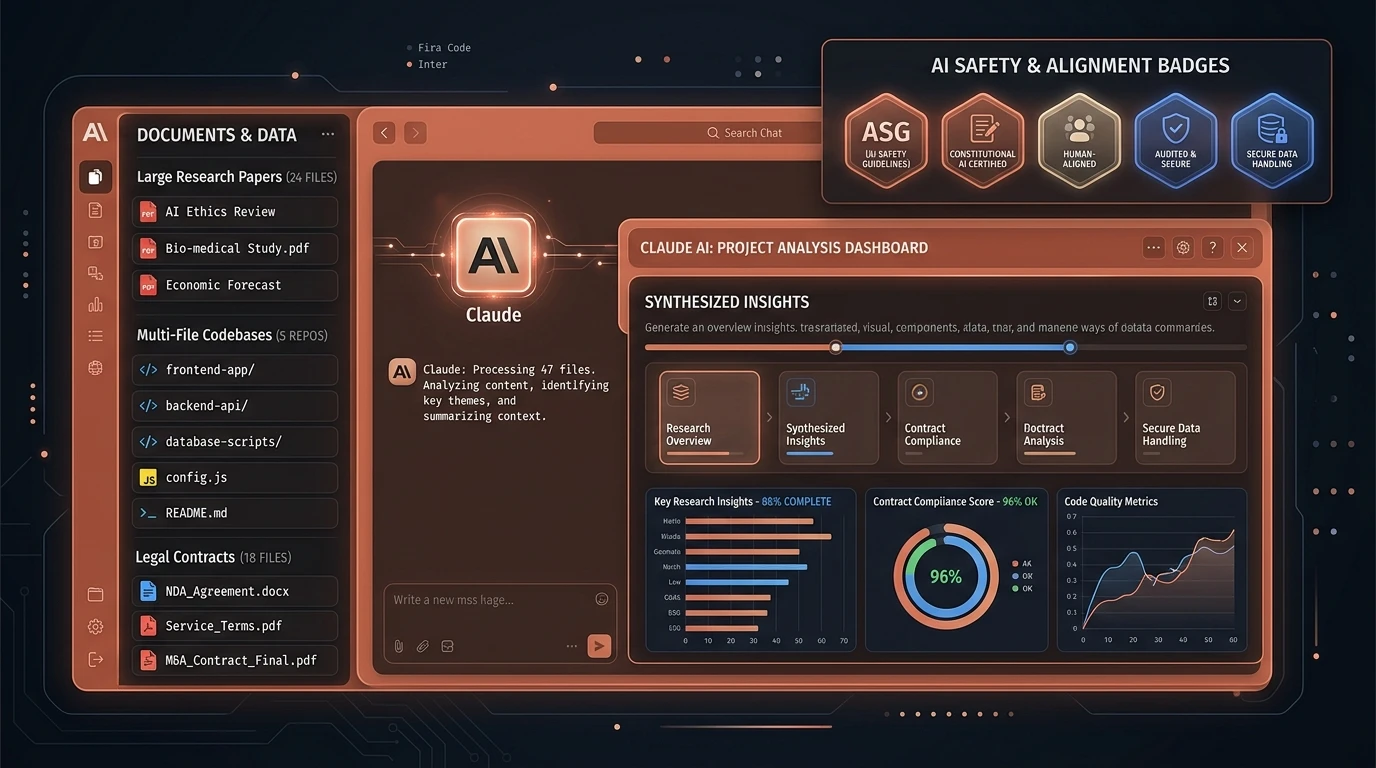
Claude AI Models Explained
Anthropic offers a family of Claude AI models, each balancing speed, reasoning depth, and cost differently.
- Claude Haiku - The fastest, lightweight model. Ideal for quick chat, simple summarization, and high-volume, low-latency tasks.
- Claude Sonnet - A balanced model offering strong reasoning and coding ability at solid speed, suited for everyday professional work.
- Claude Opus - Anthropic's most capable reasoning model, built for the hardest coding, research, and analytical tasks.
- Latest Claude Model Generation - The newest release combines near-Opus-level reasoning with much higher speed, making it the recommended default for most users in 2026.
| Model | Speed | Reasoning | Coding | Long Context |
|---|---|---|---|---|
| Haiku | Very High | Medium | Medium | Yes |
| Sonnet | High | High | High | Yes |
| Opus | Medium | Very High | Very High | Yes |
| Latest Claude Model | Very High | Very High | Very High | Yes |
[!NOTE] Quick tip
Choose Haiku for speed-sensitive, simple tasks; Sonnet for daily professional writing and coding; Opus for the toughest research or engineering problems; and the latest model generation when you want top-tier reasoning without sacrificing speed.
Key Claude AI Features
AI Chat Assistant
Natural conversation for brainstorming, Q&A, and content generation across writing, business, and technical topics.
Long Context Window
As a genuine long context AI, Claude can analyze large PDFs, entire research papers, and large codebases in a single session without losing track of earlier details.
Coding Assistance
As an AI coding assistant, Claude can:
- Generate and refactor code across multiple languages
- Debug errors with detailed explanations
- Review pull requests and suggest improvements
- Produce clear technical documentation
Document Analysis
- Summarize lengthy reports or academic papers
- Review contracts and flag key clauses
- Assist with structured research synthesis
Writing & Content Creation
As a capable AI writing assistant, Claude handles blog posts, business reports, emails, and technical documentation with a natural, human-like tone.
File Upload Support
- Analyze PDFs and text documents
- Extract and summarize key data from reports
Enterprise Features
- Team collaboration workspaces
- Workflow and productivity integrations
- Centralized administration for business use
Pricing Overview
As of mid-2026, Claude AI offers six pricing tiers, from free access to enterprise-grade custom plans.
| Plan | Approx. Price | Best For |
|---|---|---|
| Free | $0/month | Casual users exploring Claude |
| Pro | ~$20/month (~$17/month billed annually) | Professionals needing higher usage limits and priority access |
| Max | ~$100/month or ~$200/month (usage tiers) | Power users needing 5x-20x Pro capacity |
| Team | ~$25/seat/month (~$20 annually), Premium seats ~$125-150/month | Organizations needing shared workspaces and admin controls |
| Enterprise | Custom pricing (contact sales) | Large businesses needing SSO, compliance, and dedicated support |
Free plan users get rolling usage limits with no credit card required, while Pro and Max mainly add higher usage capacity and priority access rather than entirely new features. Team and Enterprise add central billing, admin controls, and compliance certifications on top of everything in Pro.
[!IMPORTANT] Note
Pricing and usage limits change periodically. Always confirm current rates on Claude's official pricing page or sign up directly at claude.ai.
Claude AI for Developers
As an AI tool for developers, Claude is widely used for Python, JavaScript, TypeScript, and SQL development, API design, DevOps scripting, and detailed code reviews. Its long-context strength makes it particularly good at understanding large, multi-file codebases and explaining unfamiliar code in depth.
Example prompt:
"Review this Python module for security issues and performance bottlenecks, then suggest a refactored version with explanations for each change."
Claude AI for Cybersecurity
As an AI tool for cybersecurity, professionals use Claude for security documentation, threat intelligence research, secure coding guidance, security awareness content, incident response reporting, and risk assessments.
[!WARNING] Security Disclaimer
Claude AI should be used as an assistant and not as a replacement for professional security validation or security testing.
Security & Privacy Considerations
Anthropic built Claude around a responsible AI framework, but users still need good habits:
- Avoid sharing confidential credentials or proprietary source code in prompts
- Understand prompt injection risks when connecting Claude to external tools or untrusted documents
- Be aware that all LLMs, including Claude, can produce hallucinations - confident but incorrect statements
- Always verify important facts, code, or citations before relying on them
- Review your organization's data policy before uploading sensitive documents
Claude AI Alternatives
Several strong Claude AI alternatives exist, though each has a different strength.
| Tool | Best Use Case |
|---|---|
| ChatGPT | Broad general-purpose use and plugin ecosystem |
| Gemini | Deep integration with Google Workspace |
| Perplexity | Real-time research with cited sources |
| DeepSeek | Cost-efficient reasoning and coding |
| Grok | Real-time social/X platform context |
Users often choose Claude over competitors for long-document analysis, careful reasoning, and higher-quality long-form writing.
Pros and Cons
Pros
- Excellent long-context performance for large documents and codebases
- Strong, natural writing quality
- Reliable coding and debugging support
- Safety-conscious design suited for enterprise use
Cons
- Free tier usage limits reset frequently
- Fewer built-in multimedia features than some competitors
- Premium tiers (Max) can be costly for casual users
Frequently Asked Questions
Is Claude AI free to use?
Yes. Claude's Free plan is $0 with no credit card required, though it has rolling usage limits.
What is the difference between Claude Pro and Max?
Pro is built for everyday professional use at ~$20/month, while Max ($100-$200/month) mainly adds higher usage capacity for power users, not new features.
Which Claude model should I use?
Use Haiku for quick, simple tasks, Sonnet for daily professional work, and Opus or the latest model generation for the most demanding reasoning and coding tasks.
Is Claude AI good for coding?
Yes, Claude is widely regarded as a strong AI coding assistant, especially for understanding large codebases and producing detailed explanations.
How does Claude compare to ChatGPT?
Both are leading AI assistants; Claude is often preferred for long-context document work and writing quality, while ChatGPT has a broader plugin and multimedia ecosystem.
Conclusion
Claude AI has earned its place as one of the leading AI assistants by focusing on careful reasoning, long-context understanding, and high-quality writing rather than flashy extras. From Haiku's speed to Opus-level reasoning, Anthropic Claude offers a model for nearly every use case, and its enterprise features make it a serious option for business teams. As Generative AI platforms keep evolving, Claude's safety-first approach positions it well for the future of trustworthy AI assistance. If you're evaluating AI tools for research, writing, or development, Claude AI is well worth trying at claude.ai.
Related Technical Reviews & AI Tools
- 🤖 ChatGPT Explained: Features, Models, Pricing & Alternatives - Complete breakdown of OpenAI ChatGPT, GPT-4o & GPT-5 series.
- 🛡️ Zero Trust Architecture Explained - Complete enterprise security roadmap, NIST SP 800-207 model, and ZTNA.
- 🤖 MCP Security Unlocked: Defending Model Context Protocol & AI Agents - Complete engineering guide to Model Context Protocol security and tool execution safety.
- 🔒 OAuth 2.0 Unlocked: The Developer's Field Guide to Secure Authorization - PKCE, OAuth 2.1, security failure modes, and secure React token storage.
- 🛡️ LLM Security in 2026: OWASP Top 10 for AI Applications - Protect production AI systems against prompt injection, data leaks, and insecure output handling.