Home › AI Tools › Cursor AI Explained: Features, Models, Pricing, Use Cases, Security, Tutorials & Alternatives (2026 Guide)
AI ToolsCursor AI Explained: Features, Models, Pricing, Use Cases, Security, Tutorials & Alternatives (2026 Guide)
By Himanshu Borikar • 2026-07-23 • 14 min read

Last updated: July 2026
What is Cursor AI?
Cursor AI is an AI-powered code editor built by Anysphere, designed to bring AI directly into the software development workflow instead of treating it as a bolt-on plugin. Unlike traditional IDEs that rely on static autocomplete, Cursor understands your entire codebase and lets you generate, edit, and refactor code through natural language conversation.
Cursor became popular among developers because it goes beyond simple code suggestions. As an AI-powered code editor, it reads project structure, tracks dependencies across files, and applies changes across multiple files at once - closer to pairing with a senior engineer than typing into an autocomplete box. This shift reflects a broader move toward AI-assisted software development, where modern coding workflows blend human judgment with AI-driven code generation, debugging, and review.
For developers, students, DevOps professionals, and startup founders, Cursor AI has become one of the most widely adopted AI coding assistant tools because it fits directly into existing habits - it's built on a familiar VS Code-style interface, so there's little friction to switching.
Official site: cursor.com.
How Cursor AI Works
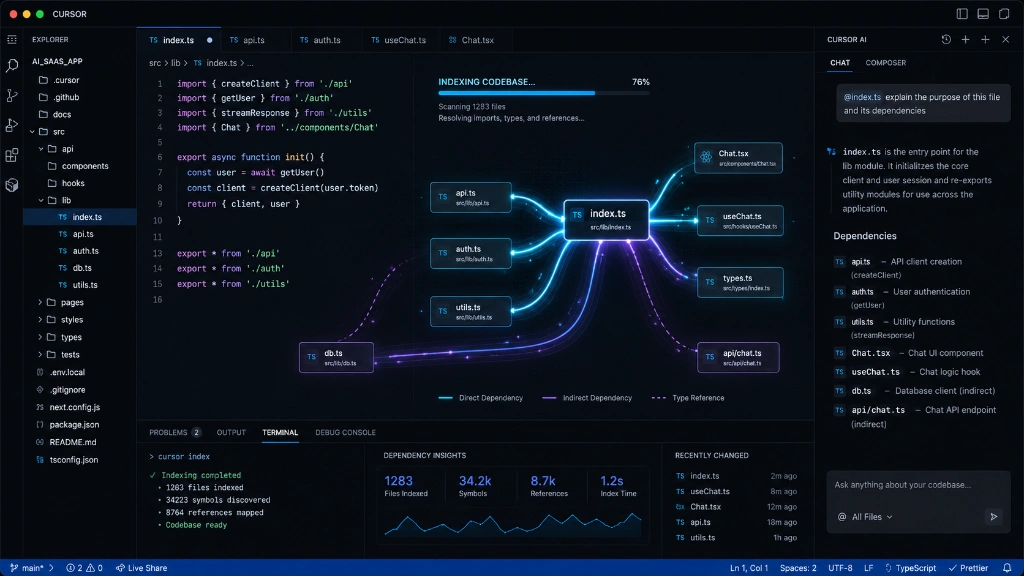
Cursor works by indexing your codebase so it understands relationships between files before generating any code.
Developer Request
    |
Codebase Analysis
    |
AI Context Processing
    |
Code Generation / Editing
    |
Developer Review
    |
Final Implementation
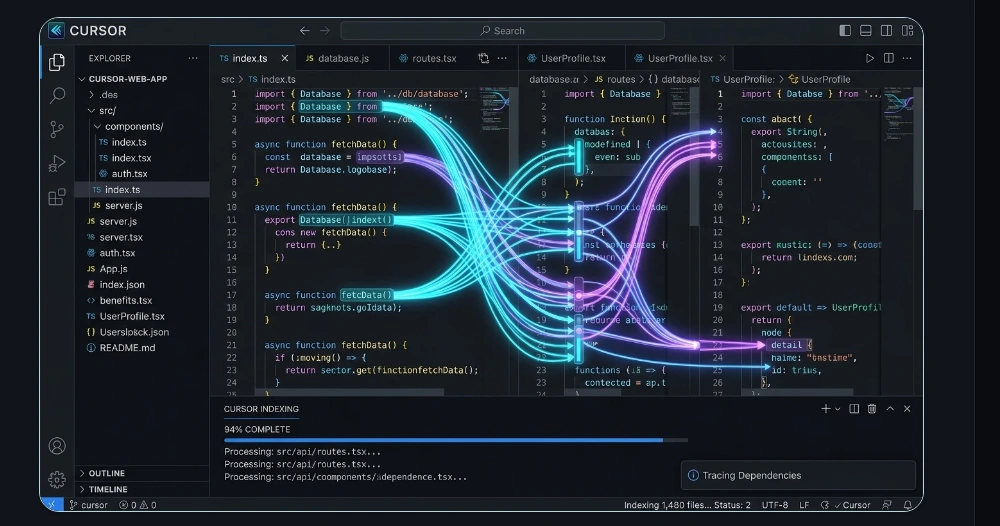
Because Cursor indexes the full codebase rather than just the open file, it can trace how a function is used elsewhere, follow imports, and apply consistent changes across a project - something traditional code-completion tools, which only see the current file, simply can't do.
Cursor AI Models Explained
Cursor doesn't lock you into a single AI model. Instead, it gives developers access to multiple Cursor AI models, including OpenAI models, Claude models, and Gemini models, alongside its own fast in-house completion models.
- Fast Models - Optimized for quick autocomplete and simple edits, prioritizing speed over deep reasoning.
- Balanced Models - A middle ground offering strong coding accuracy with solid context handling for everyday tasks.
- Reasoning Models - Built for complex refactors, architecture decisions, and multi-step debugging where depth matters more than speed.
| Model Type | Speed | Coding | Reasoning | Large Context |
|---|---|---|---|---|
| Fast Models | Very High | High | Medium | Medium |
| Balanced Models | High | High | High | High |
| Reasoning Models | Medium | Very High | Very High | High |
[!NOTE] Quick tip
Use fast models for everyday autocomplete and small edits, balanced models for typical feature work, and reasoning models when tackling large refactors or tricky bugs across a big codebase.
Key Cursor AI Features
AI Code Generation
Generate individual functions, full applications, or repetitive boilerplate from a plain-English description.
Codebase Understanding
- Understands overall project structure
- Analyzes entire repositories, not just open files
- Explains unfamiliar or legacy code in plain language
AI Chat Inside IDE
Ask questions about your code, get instant explanations, or request refactor suggestions without leaving the editor.
Multi-File Editing
- Modify multiple related files in a single request
- Apply project-wide changes consistently (e.g., renaming an API across dozens of files)
Bug Fixing & Debugging
- Analyzes error messages and stack traces
- Suggests targeted fixes
- Helps identify root causes, not just symptoms
Code Refactoring
Improve code quality and modernize legacy code without manually rewriting every file.
Natural Language Coding
Examples of what developers can ask for directly:
- "Build a REST API for user authentication"
- "Add JWT-based login to this project"
- "Generate unit tests for this module"
Cursor Rules
Project-specific instructions let teams enforce coding standards, style guides, and consistent AI output across everyone using the project - helpful for keeping AI-generated code aligned with team conventions.
Pricing Overview
As of mid-2026, Cursor AI pricing spans six plans, from a genuine free tier to custom enterprise deployments, all running on a credit-based usage system rather than fixed request counts.
| Plan | Approx. Price | Best For |
|---|---|---|
| Hobby (Free) | $0/month | Students, beginners, and light usage (under ~10 hrs/week) |
| Pro | ~$20/month | Individual developers using Cursor as their primary editor |
| Pro+ | ~$60/month | Developers who regularly exceed Pro's usage credits |
| Ultra | ~$200/month | Heavy agent users needing the largest usage pool |
| Teams | ~$40/user/month (Standard) to ~$120/user/month (Premium) | Development teams needing shared context, billing, and admin controls |
| Enterprise | Custom pricing (contact sales) | Large organizations needing SSO, pooled usage, audit logs, and compliance |
Free (Hobby) usage includes limited Agent and Tab completions with no credit card required. Paid tiers mainly expand your monthly usage credit pool - actual cost per task varies depending on which underlying AI model you use, since more powerful "reasoning" models consume credits faster than fast models. Teams and Enterprise add centralized billing, SSO, usage analytics, and compliance features like SOC 2 certification.
[!IMPORTANT] Note
Cursor's credit-based billing changes fairly often. Always confirm current rates on the official Cursor pricing page before subscribing.
Cursor AI for Developers
Cursor AI supports a wide range of development workflows:
- Frontend Development - React, Next.js, Vue, and Angular projects with component generation and UI refactoring.
- Backend Development - Node.js, Python, Java, and .NET services, including API design and database logic.
- DevOps - Docker configurations, Kubernetes manifests, and CI/CD pipeline scripts.
- Testing - Generating unit tests and integration tests alongside new features.
Example prompt:
"Add a Dockerfile and GitHub Actions workflow to this Node.js project that runs tests and builds a production image on every pull request."
Cursor AI for Cybersecurity
As part of a broader set of AI developer tools, cybersecurity professionals use Cursor for secure coding reviews, security automation scripts, log analysis tooling, security documentation, Infrastructure-as-Code reviews, and vulnerability remediation assistance.
[!WARNING] Disclaimer
Cursor AI can improve productivity, but all security-critical code and recommendations should be reviewed and validated by qualified professionals.
Security & Privacy Considerations
Source Code Privacy
Sensitive or proprietary repositories deserve extra caution - review Cursor's privacy mode and data-handling settings before connecting confidential codebases.
AI Risks
- Hallucinated code that looks plausible but doesn't work correctly
- Insecure code patterns generated without proper context
- Dependency risks from AI-suggested packages that may be outdated or unmaintained
Best Practices
- Always run human code review on AI-generated code
- Run security testing (SAST/DAST) before merging AI-assisted changes
- Keep secrets and credentials out of prompts and codebase context
- Validate AI suggestions rather than accepting them by default
Security Perspective
Cursor AI has a real impact on secure software development - both positive and risky. For DevSecOps teams, it can speed up secure coding reviews, generate Infrastructure-as-Code with fewer manual errors, and help less security-experienced developers write safer code faster.
The risk lies in blindly accepting AI-generated code without scrutiny. Cursor, like any LLM-powered tool, can introduce subtle vulnerabilities, insecure defaults, or outdated dependency suggestions that look correct on the surface.
Recommended security review workflow:
- Treat AI-generated code as a first draft, not a finished product
- Run automated security scanning (SAST/DAST) on all AI-assisted commits
- Require peer review specifically focused on security-sensitive logic
- Maintain Cursor Rules that enforce your team's secure coding standards
Cursor AI Tutorial
- Step 1 - Install Cursor AI: Download Cursor from the official site and install it like any standard code editor.
- Step 2 - Import an existing project: Open your existing repository; Cursor automatically indexes the codebase.
- Step 3 - Connect AI models: Choose which AI models to enable (OpenAI, Claude, Gemini, or Cursor's own fast models) based on your workflow.
- Step 4 - Use AI Chat: Ask questions about your code or request explanations directly in the sidebar.
- Step 5 - Generate code: Describe what you want in plain language and let Cursor generate or edit the relevant files.
- Step 6 - Review and test outputs: Always review generated code and run your test suite before merging - a common beginner mistake is accepting AI output without verification.
Cursor AI Alternatives
Several strong Cursor AI alternatives exist, though each has a different strength.
| Tool | Best For |
|---|---|
| Cursor | Full AI IDE with deep codebase understanding |
| Windsurf | AI-native agentic workflows |
| GitHub Copilot | Lightweight code completion inside existing IDEs |
| Claude Code | Terminal-based agentic coding workflows |
| Cline | Open-source flexibility and model choice |
| Continue.dev | Self-hosted, highly customizable setups |
Developers often choose Cursor over competitors when they want a full AI-native IDE experience with multi-file editing and deep project context, rather than a lightweight completion plugin.
Pros and Cons
Pros
- Strong whole-codebase understanding
- Multi-file editing saves significant manual work
- Access to multiple leading AI models in one tool
- Genuine free tier for evaluation
Cons
- Credit-based billing can be harder to predict than flat pricing
- Learning curve for developers new to AI-assisted workflows
- Costs can scale quickly for heavy "reasoning model" usage
Frequently Asked Questions
Is Cursor AI free?
Yes, the Hobby plan is free with limited Agent and Tab completions, though most active developers eventually upgrade to Pro.
Is Cursor AI better than GitHub Copilot?
Cursor generally offers deeper codebase awareness and multi-file editing, while Copilot focuses on lightweight completion inside existing editors - the better choice depends on your workflow.
Which AI model works best in Cursor?
It depends on the task: fast models suit quick edits, balanced models suit everyday coding, and reasoning models suit complex refactors or debugging.
Can Cursor AI build complete applications?
Yes, with guidance - Cursor can scaffold and build substantial portions of an application, though human review remains essential.
Is Cursor AI useful for cybersecurity engineers?
Yes, for secure coding reviews, automation scripts, and documentation - but not as a replacement for formal security testing.
Conclusion
Cursor AI has earned its place as one of the leading AI coding assistants by combining deep codebase understanding, multi-file editing, and access to multiple top AI models in a single editor. Its strengths in code generation, debugging, and project-wide context make it a strong fit for developers, DevOps teams, and technical founders alike. As AI-powered development environments continue to mature, tools like Cursor point toward a future where AI is a genuine coding partner rather than a simple autocomplete. If you're evaluating AI developer tools, Cursor AI is well worth trying at cursor.com.
Related Technical Reviews & AI Tools
- 🤖 ChatGPT Explained: Features, Models, Pricing & Alternatives - Complete breakdown of OpenAI ChatGPT, GPT-4o & GPT-5 series.
- 🧡 Claude AI Explained: Features, Models, Pricing & Alternatives - Anthropic Claude AI, 200k+ token context window, and model comparison.
- ✨ Google Gemini AI Explained: Features, Models, Pricing & Alternatives - Google DeepMind Gemini AI, multimodal architecture, and Workspace integration.
- 🛡️ Zero Trust Architecture Explained - Complete enterprise security roadmap, NIST SP 800-207 model, and ZTNA.
- 🤖 MCP Security Unlocked: Defending Model Context Protocol & AI Agents - Complete engineering guide to Model Context Protocol security and tool execution safety.
- 🔒 OAuth 2.0 Unlocked: The Developer's Field Guide to Secure Authorization - PKCE, OAuth 2.1, security failure modes, and secure React token storage.